

自定义应用,接入kubesphere的告警系统
1. 业务价值
贵航等使用 FusionCude 等落地方案的项目,缺乏必要的告警功能。当系统出现故障时,未能及时通知到运维人员,导致生产停机较长的时间,造成客户损失。
2. 实现方案
其中Node, Pod 的原生k8s元素kubesphere已支持,无需考虑。
现缺乏告警的应用跟中间件如下:
- redis;
- mysql(物理机或虚拟机部署);
- 各个微服务biz;
实现思路: 1. 将 redis, mysql, 各个微服务biz 接入到prometheus; 2. 新增规则组ClusterRuleGroup,添加对应的告警表达式。
3. 开启告警支持
默认的kubesphere 3.4.1 安装时, 并没有开启告警能力。开启方式如下:
3.1 启用配置
kubectl edit cc -n kubesphere-system ks-installer
设置alert:true
  alerting:
    enabled: true
重启ks-installer
kubectl scale deployments ks-installer -n kubesphere-system --replicas=0
kubectl scale deployments ks-installer -n kubesphere-system --replicas=1
3.2 修复ks-apiserver无法启动的问题
重启 ks-installer 会发现ks-apiserver无法启动。进行以下的步骤进行修复:
kubectl get crd | grep notification

# 查看配置上是否存在 spec.conversion 的配置
kubectl get crd configs.notification.kubesphere.io -o jsonpath='{.spec.conversion}'
kubectl get crd receivers.notification.kubesphere.io -o jsonpath='{.spec.conversion}'
kubectl get crd routers.notification.kubesphere.io -o jsonpath='{.spec.conversion}'
kubectl get crd configs.notification.kubesphere.io -o jsonpath='{.spec.conversion}'
kubectl get crd receivers.notification.kubesphere.io -o jsonpath='{.spec.conversion}'
kubectl get crd routers.notification.kubesphere.io -o jsonpath='{.spec.conversion}'
删除 spec.conversion 配置
kubectl edit crd configs.notification.kubesphere.io
kubectl edit crd receivers.notification.kubesphere.io
删除证书转换条目:
  conversion:
    strategy: Webhook
    webhook:
      clientConfig:
        caBundle: XXXX
        service:
          name: notification-manager-webhook
          namespace: kubesphere-monitoring-system
          path: /convert
          port: 443
      conversionReviewVersions:
      - v1
      - v1beta1
删除后如下:
  conversion:
    strategy: None
重启ks-apiserver, 查看ks-apiserver启动时无出错日志。
kubectl delete pod -n kubesphere-system -l app=ks-apiserver
3.3 查看界面确认功能
确认"监控告警"菜单栏出现"告警", "规则组", 证明告警功能已开启。
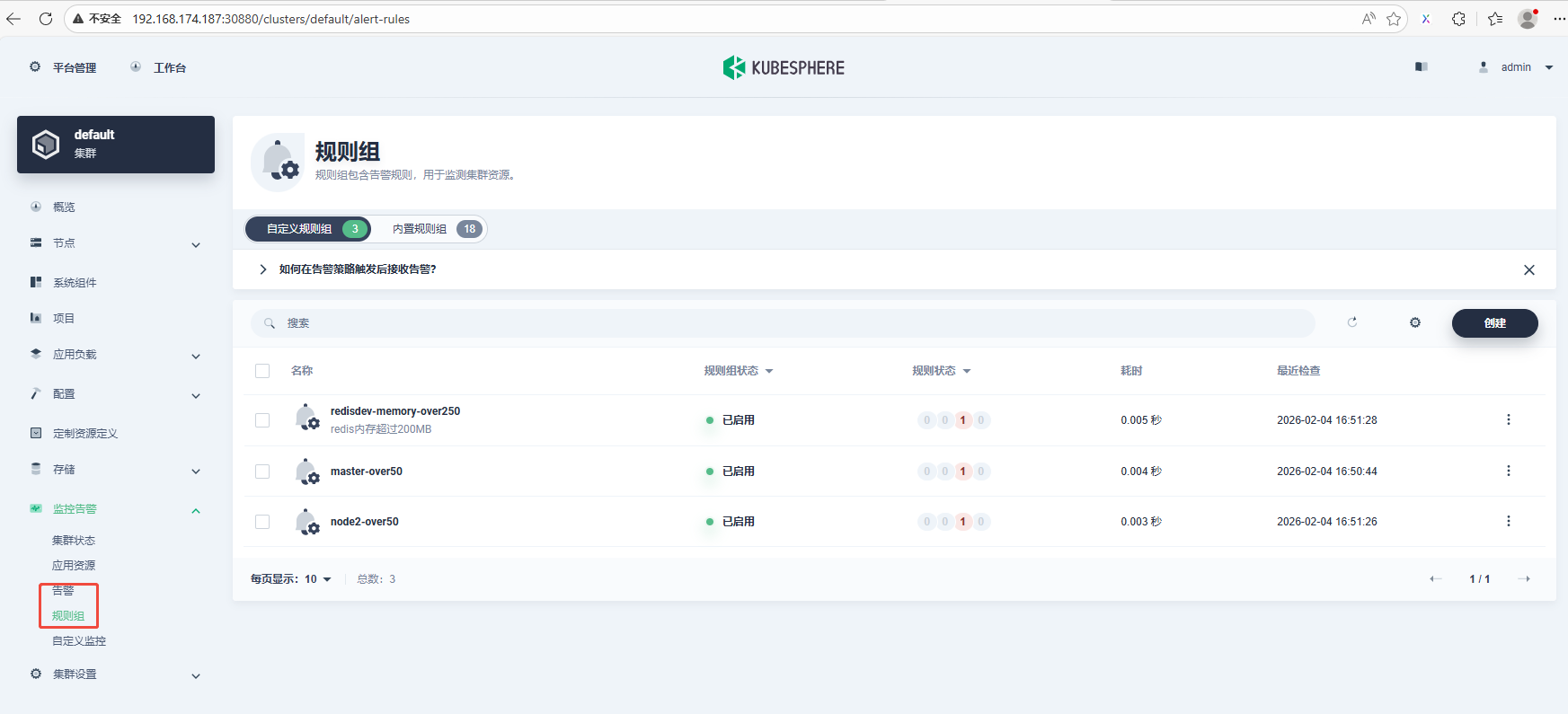
下面以redis-dev为例,如何开启告警支持。
4. redis 开启告警支持
前提: 按《Redis 监控部署文档》一文,将redis-dev 接入到 Prometheus
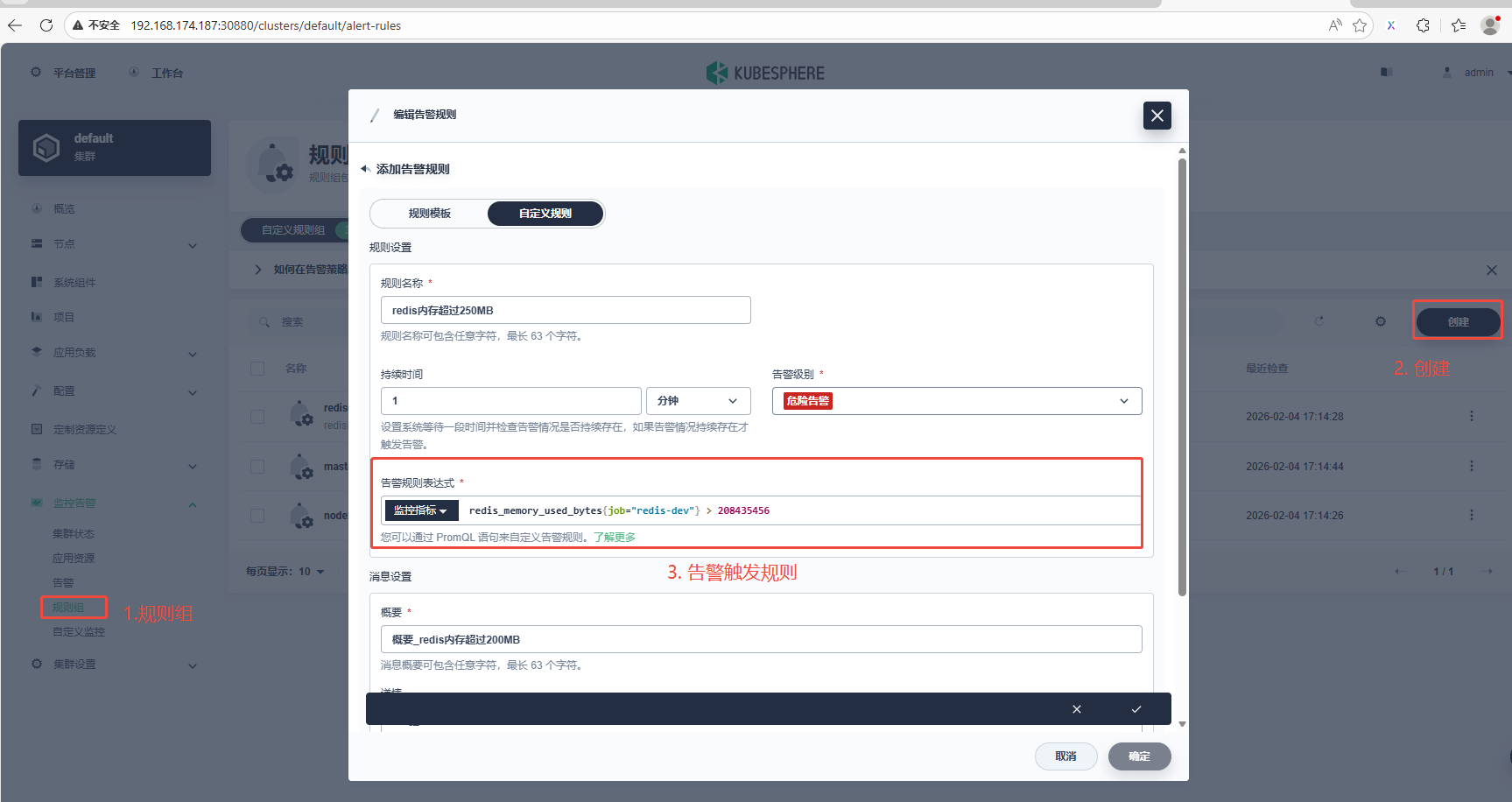
告警目标: 当redis-dev 的内存使用超过200MB时, 向Webhook 配置的地址告警。
4.1 在Prometheus查看redis-dev支持的监控指标
查看 Prometheus 的targets, 发现redis-dev 已存在。
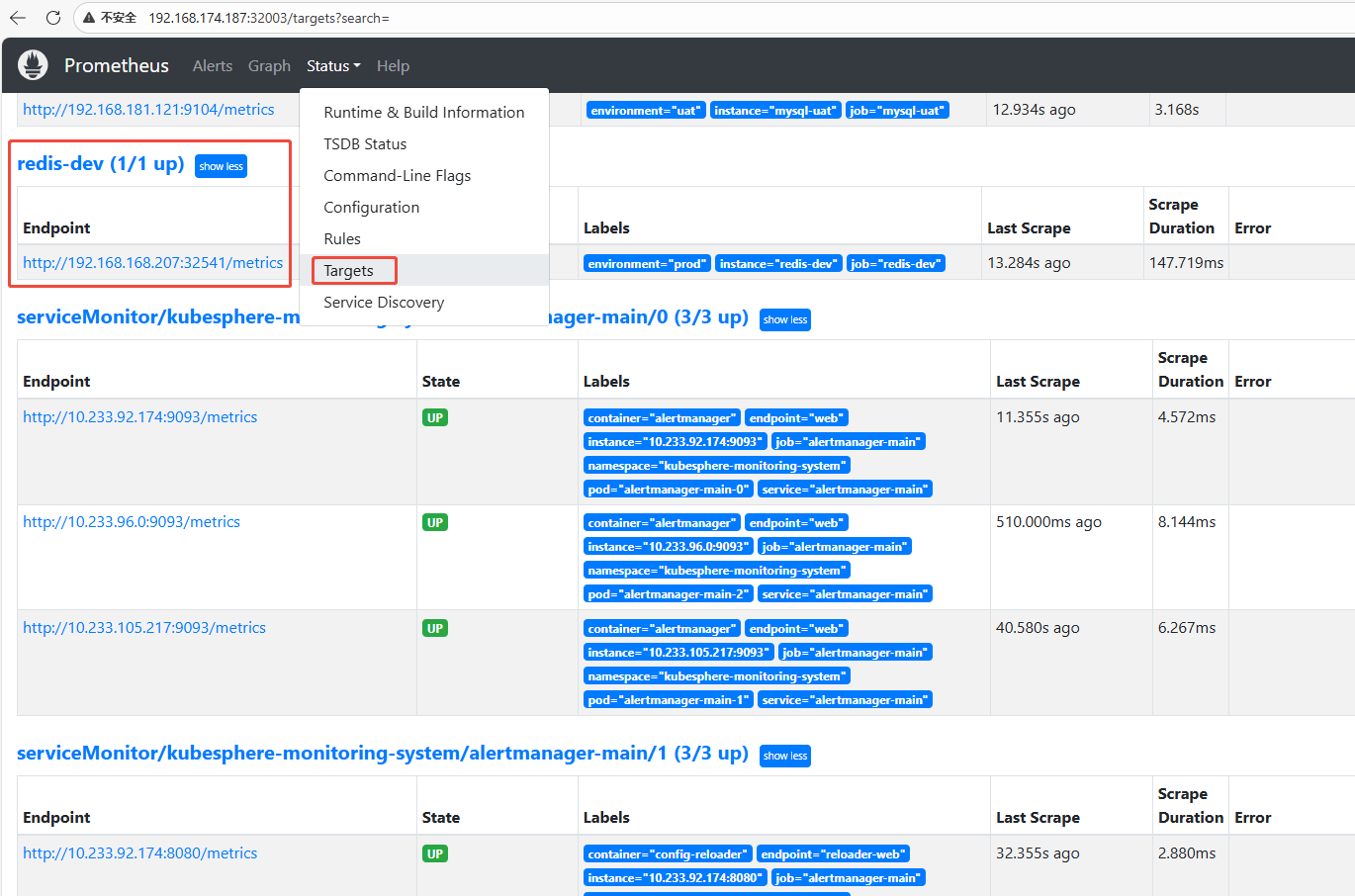
访问 redis-dev 的 Endpoint: http://192.168.168.207:32541/metrics, 观察到redis-dev 可以监控的指标:
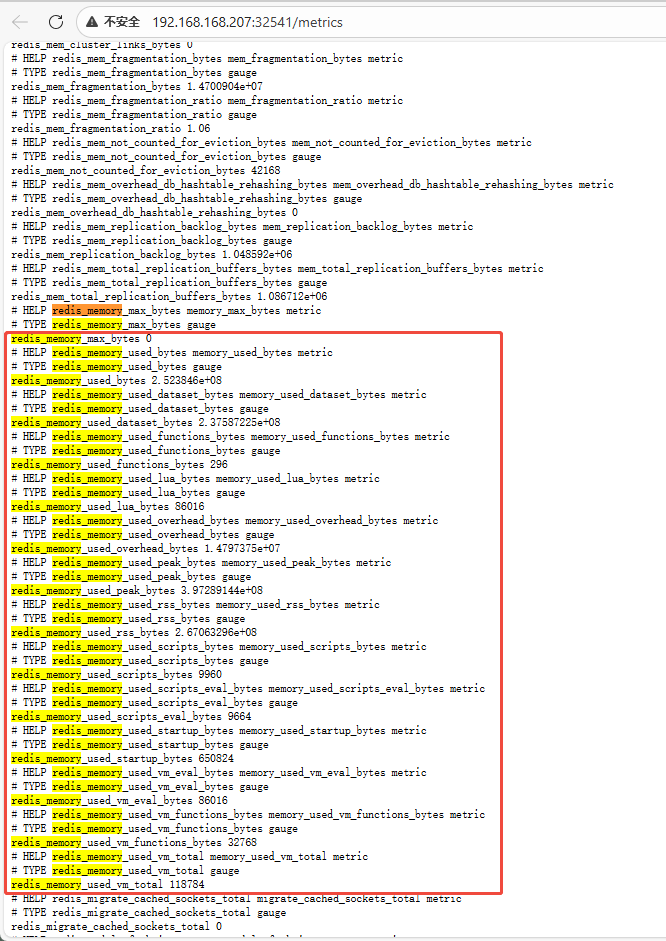
使用AI解析,得知 redis_memory_used_bytes 指标是 redis-dev 的当前使用内存容量。
4.2 测试指标是否可用
点击Prometheus -> Graph, 表达式输入: redis_memory_used_bytes{job="redis-dev"} , 点"Execute":
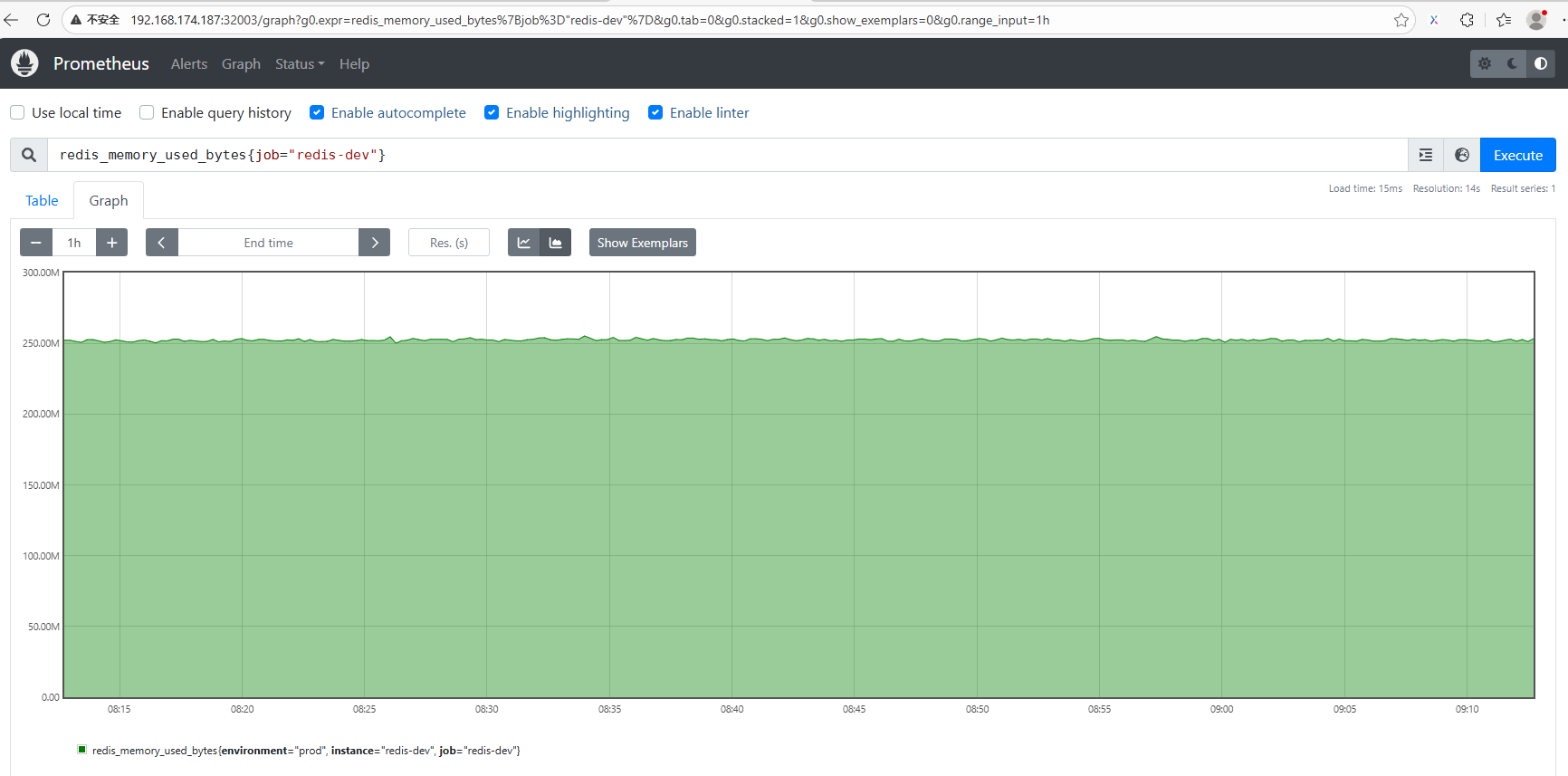
证明 redis_memory_used_bytes{job="redis-dev"} 表达式正确。
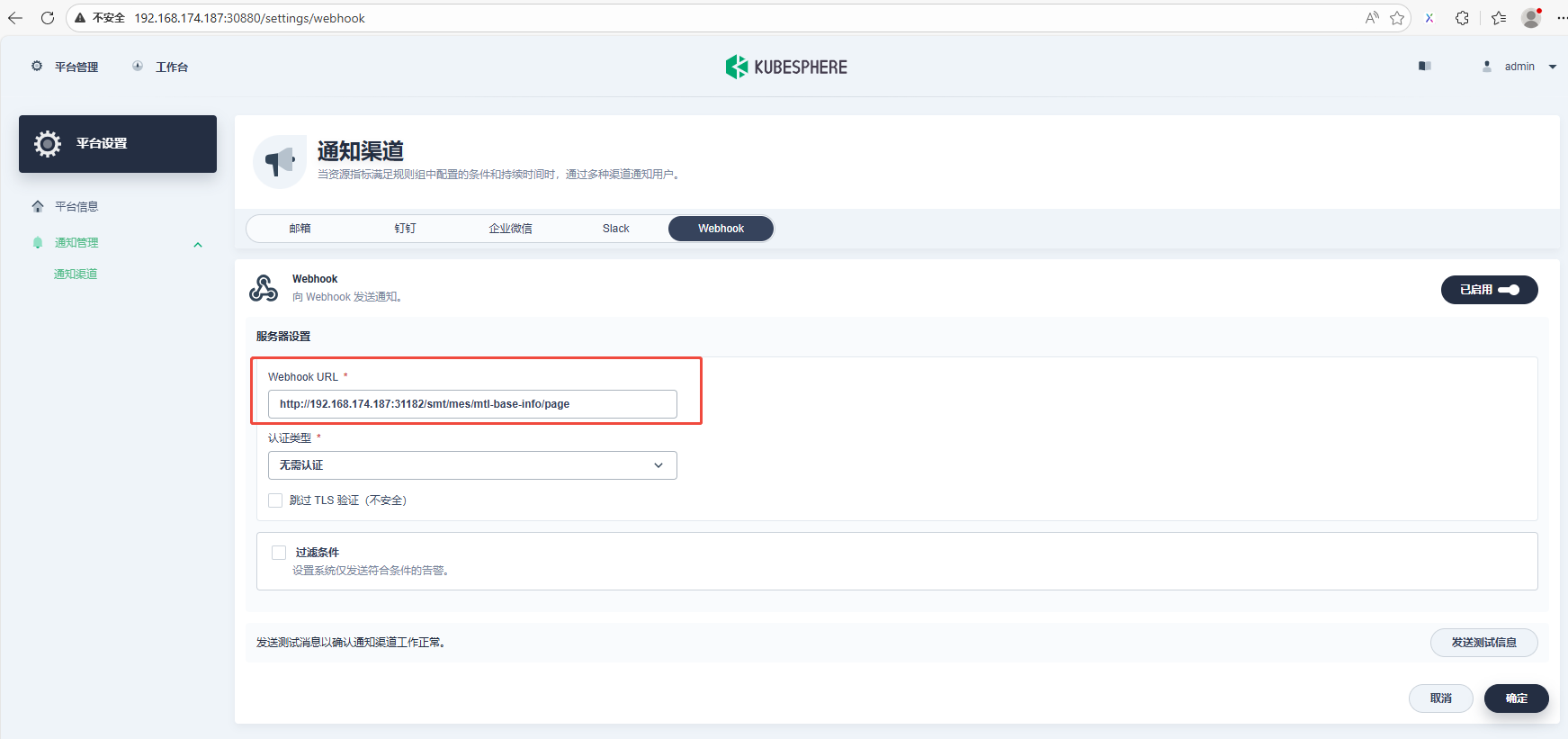
4.3 配置通知渠道
配置"Webhook URL", 确认接口可通。
4.4 添加告警规则
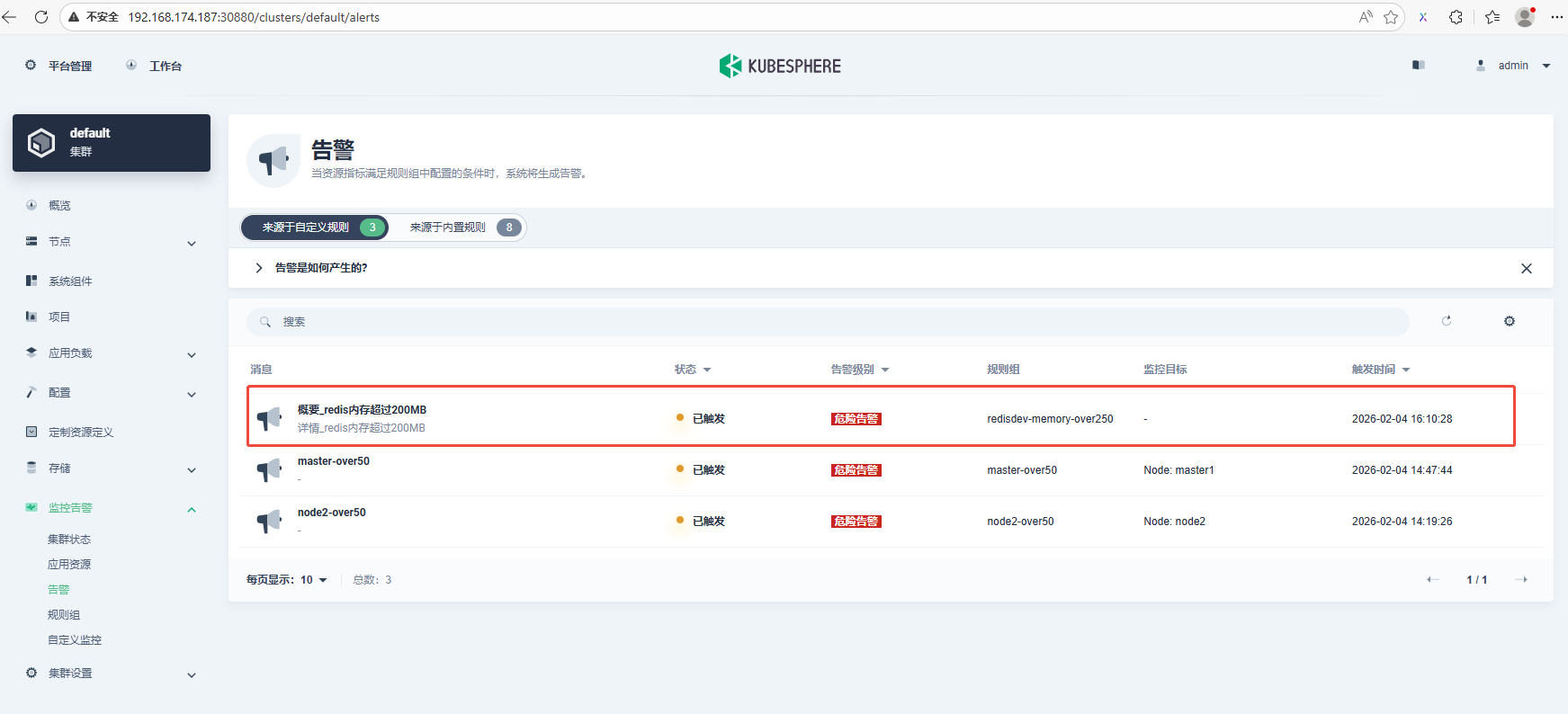
4.5 等待告警触发
1分钟后告警触发:
4.6 观察Webhook结果
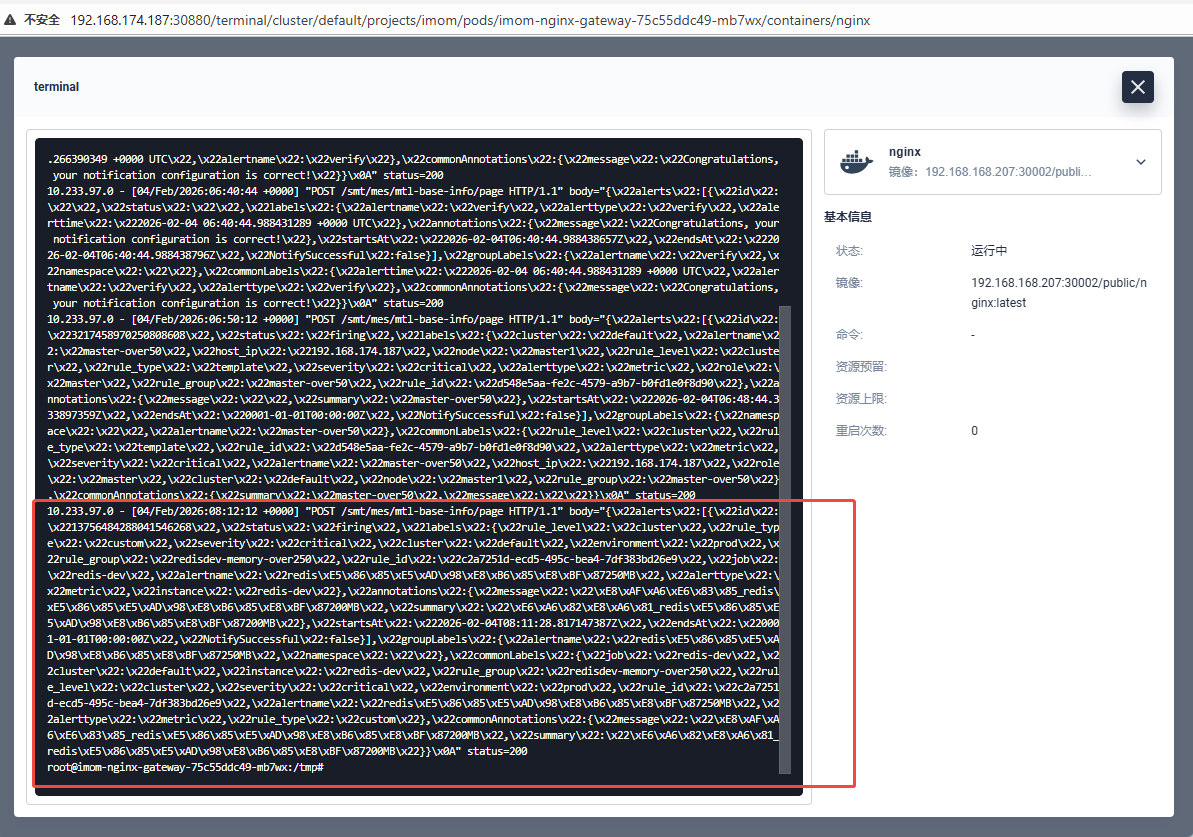
请求body如下:
{
    "alerts": [
      {
        "id": "13756484288041546268",
        "status": "firing",
        "labels": {
          "rule_level": "cluster",
          "rule_type": "custom",
          "severity": "critical",
          "cluster": "default",
          "environment": "prod",
          "rule_group": "redisdev-memory-over250",
          "rule_id": "c2a7251d-ecd5-495c-bea4-7df383bd26e9",
          "job": "redis-dev",
          "alertname": "redis内存超过250MB",
          "alerttype": "metric",
          "instance": "redis-dev"
        },
        "annotations": {
          "message": "详情_redis内存超过200MB",
          "summary": "概要_redis内存超过200MB"
        },
        "startsAt": "2026-02-04T08:11:28.817147387Z",
        "endsAt": "0001-01-01T00:00:00Z",
        "NotifySuccessful": false
      }
    ],
    "groupLabels": {
      "alertname": "redis内存超过250MB",
      "namespace": ""
    },
    "commonLabels": {
      "job": "redis-dev",
      "cluster": "default",
      "instance": "redis-dev",
      "rule_group": "redisdev-memory-over250",
      "rule_level": "cluster",
      "severity": "critical",
      "environment": "prod",
      "rule_id": "c2a7251d-ecd5-495c-bea4-7df383bd26e9",
      "alertname": "redis内存超过250MB",
      "alerttype": "metric",
      "rule_type": "custom"
    },
    "commonAnnotations": {
      "message": "详情_redis内存超过200MB",
      "summary": "概要_redis内存超过200MB"
    }
}
5. 后期告警改进方向
对于离线环境,需要接入目标(内网IM, 内网邮件服务, 其它信息系统等)的Webhook, 以便实时接收告警信息。